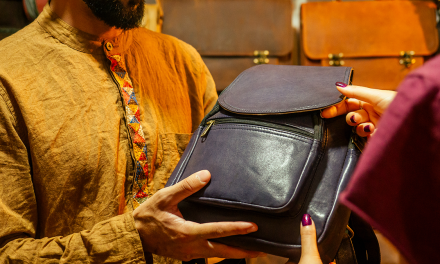

Laptop bags are an essential accessory for anyone who regularly carries their laptop around. Over time, these bags can accumulate dirt, dust, and grime, which can be unsightly and potentially harmful to the laptop itself. Cleaning a laptop bag is a relatively simple process that can help to extend its lifespan and keep it looking new.
The first step in cleaning a laptop bag is to determine the material it is made of. Different materials require different cleaning methods, so it is important to read the care label or manufacturer’s instructions before beginning. Most laptop bags are made of materials such as nylon, polyester, or leather, which can be cleaned with mild soap and water or a specialized cleaner.
Once the material has been identified, the bag should be emptied and any loose debris should be removed. The bag can then be wiped down with a damp cloth or sponge, being careful not to saturate the material. For tougher stains or dirt buildup, a specialized cleaner may be necessary. By following these simple steps, anyone can keep their laptop bag looking clean and new for years to come.
Understanding Laptop Bag Materials
When it comes to cleaning a laptop bag, it’s important to understand the type of material it’s made of. Different materials require different cleaning methods to avoid damage. Here are some common materials used in laptop bags and how to clean them:
Nylon
Nylon is a popular material for laptop bags due to its durability and water-resistant properties. To clean a nylon laptop bag, start by wiping it down with a damp cloth to remove any dirt or grime. For tougher stains, use a mixture of mild soap and water and gently scrub the affected area with a soft-bristled brush. Rinse with clean water and let it air dry.
Leather
Leather laptop bags are stylish and durable, but they require special care to maintain their appearance. To clean a leather laptop bag, start by wiping it down with a dry cloth to remove any dust or debris. For tougher stains, use a leather cleaner and follow the manufacturer’s instructions. Avoid using water or soap, as they can damage the leather. After cleaning, apply a leather conditioner to keep the bag soft and supple.
Polyester
Polyester is a lightweight and affordable material used in many laptop bags. To clean a polyester laptop bag, start by wiping it down with a damp cloth to remove any dirt or stains. For tougher stains, use a mixture of mild soap and water and gently scrub the affected area with a soft-bristled brush. Rinse with clean water and let it air dry.
Canvas
Canvas is a durable and eco-friendly material used in many laptop bags. To clean a canvas laptop bag, start by wiping it down with a damp cloth to remove any dirt or stains. For tougher stains, use a mixture of mild soap and water and gently scrub the affected area with a soft-bristled brush. Rinse with clean water and let it air dry.
Understanding the type of material your laptop bag is made of is essential to keep it clean and looking its best. By following these simple cleaning tips, you can ensure that your laptop bag stays in top condition for years to come.
Pre-Cleaning Preparation
Emptying the Bag
Before cleaning a laptop bag, it is important to empty it completely. This includes removing any laptops, chargers, or other electronics, as well as any papers, books, or other items that may be inside. This will ensure that the bag can be thoroughly cleaned and that no items are damaged during the cleaning process.
Dust Removal
Once the bag is empty, the next step is to remove any dust or debris that may have accumulated on the surface. This can be done using a soft-bristled brush or a clean, dry cloth. It is important to be gentle when removing dust to avoid damaging the bag’s material.
If the bag has any pockets or compartments, these should also be emptied and dusted thoroughly. It may be helpful to use a can of compressed air to remove any dust or debris from hard-to-reach areas.
By following these pre-cleaning preparation steps, the laptop bag will be ready for a thorough cleaning and will be free of any dust or debris that could potentially damage the bag or its contents.
Spot Cleaning Techniques
When it comes to spot cleaning your laptop bag, there are a few techniques you can use to effectively remove stains and dirt. Here are some tips to follow:
1. Use a Damp Cloth
For small spots or stains, a damp cloth can be an effective tool for cleaning your laptop bag. Simply wet a cloth with water and gently rub the affected area until the stain is removed. Be sure to wring out the cloth before using it to avoid soaking your bag.
2. Try a Mild Detergent
For tougher stains, you may want to try using a mild detergent. Mix a small amount of detergent with water and apply it to the affected area with a cloth. Gently rub the stain until it is removed, then rinse the area with water and let it air dry.
3. Avoid Harsh Chemicals
When spot cleaning your laptop bag, it’s important to avoid using harsh chemicals or solvents that could damage the fabric or material. Stick to mild detergents and water-based cleaning solutions to prevent any damage.
By following these spot cleaning techniques, you can effectively remove stains and keep your laptop bag looking clean and new.
Hand Washing the Bag
Choosing the Right Detergent
Before starting to hand wash the laptop bag, it is important to choose the right detergent. Look for a mild detergent that is suitable for delicate fabrics. Avoid using bleach or harsh chemicals as they can damage the bag’s material.
Submerging and Soaking
Fill a sink or basin with lukewarm water and add the detergent to create a gentle solution. Submerge the laptop bag in the water and let it soak for about 15-20 minutes. This will help to loosen any dirt or grime that may have accumulated on the bag.
Gentle Scrubbing
After soaking, use a soft-bristled brush to gently scrub the bag, paying extra attention to any stubborn stains or areas of heavy soiling. Be careful not to scrub too hard as this can damage the bag’s material. Rinse the bag thoroughly with clean water to remove all traces of detergent.
Remember to always air dry the laptop bag after washing. Do not put it in the dryer as the heat can damage the bag’s material. By following these simple steps, you can effectively hand wash your laptop bag and keep it looking clean and fresh for years to come.
Machine Washing Guidelines
Determining Machine Wash Suitability
Before machine washing a laptop bag, it is important to check the care label for washing instructions. If the care label indicates that the bag is machine washable, then it is safe to proceed with machine washing. However, if the care label recommends hand washing or dry cleaning, then it is best to follow those instructions instead to avoid damaging the bag.
Setting the Correct Wash Cycle
When machine washing a laptop bag, it is important to use a gentle cycle to prevent damage to the bag. A delicate or hand wash cycle is ideal. It is also recommended to use a mild detergent and avoid using bleach or fabric softeners. Additionally, it is best to wash the bag alone or with similar colored items to prevent color bleeding.
Drying After Machine Wash
After machine washing, it is important to air dry the laptop bag to prevent damage from high heat. Hang the bag or lay it flat on a clean towel to dry. Avoid using a dryer or direct sunlight to dry the bag as this can cause damage to the material or color fading.
By following these simple machine washing guidelines, you can keep your laptop bag clean and in good condition for years to come.
Drying and Airing Out
After cleaning the laptop bag, the next step is to dry it thoroughly. Moisture can cause damage to the bag’s material and lead to the growth of mold and mildew.
To dry the bag, wipe it down with a dry cloth to remove any excess water. Then, leave the bag open and upside down in a well-ventilated area. This will allow air to circulate inside the bag and help it dry faster.
Avoid using a hairdryer or any other heat source to dry the bag. High temperatures can damage the bag’s material and cause it to shrink or warp.
If the bag has a strong odor, it may be necessary to air it out. Place the bag in a cool, dry place with good air circulation, such as near an open window or a fan. This will help to remove any musty or stale smells.
It is important to ensure that the bag is completely dry and odor-free before storing it. Storing a damp or smelly bag can lead to further damage and make it unpleasant to use in the future.
Maintaining Your Laptop Bag
Regular Cleaning Schedule
To keep your laptop bag in good condition, it is important to establish a regular cleaning schedule. This will help prevent dirt and grime from building up and damaging the bag’s material. A simple cleaning schedule could include wiping down the bag with a damp cloth every week or so, and a more thorough cleaning every month.
When cleaning your laptop bag, be sure to use a mild detergent and avoid harsh chemicals. Also, make sure to let the bag dry completely before using it again.
Stain Prevention Tips
Preventing stains on your laptop bag is much easier than trying to remove them. Here are some tips to help prevent stains:
- Avoid placing your bag on dirty or wet surfaces.
- Keep food and drinks away from your bag.
- If you must carry liquids in your bag, make sure they are in a spill-proof container.
- Be careful when using pens or markers near your bag.
By following these tips and establishing a regular cleaning schedule, you can help ensure that your laptop bag stays in good condition for years to come.
Frequently Asked Questions
What is the best method to clean a fabric laptop case?
The best method to clean a fabric laptop case is to use a mild detergent and warm water. First, remove any loose dirt or debris from the bag. Then, mix a small amount of detergent with warm water and use a soft-bristled brush to gently scrub the fabric. Rinse the bag thoroughly with clean water and let it air dry.
Can you safely wash a laptop bag with a built-in USB port?
It is not recommended to wash a laptop bag with a built-in USB port. The electronic components may get damaged if they come into contact with water. Instead, use a damp cloth to wipe the bag and avoid getting the USB port wet.
What are the instructions for cleaning a Samsonite laptop bag?
To clean a Samsonite laptop bag, first, remove any loose dirt or debris from the bag. Then, mix a small amount of mild detergent with warm water and use a soft-bristled brush to gently scrub the bag. Rinse the bag thoroughly with clean water and let it air dry. Do not use bleach or any harsh chemicals on the bag.
Is it possible to clean a laptop bag without using a washing machine?
Yes, it is possible to clean a laptop bag without using a washing machine. You can use a damp cloth or a soft-bristled brush with mild detergent and warm water to clean the bag. Rinse the bag thoroughly with clean water and let it air dry.
How should a canvas laptop bag be cleaned?
To clean a canvas laptop bag, first, remove any loose dirt or debris from the bag. Then, mix a small amount of mild detergent with warm water and use a soft-bristled brush to gently scrub the bag. Rinse the bag thoroughly with clean water and let it air dry. Do not use bleach or any harsh chemicals on the bag.
Can a laptop case be dried in a dryer without damage?
No, a laptop case should not be dried in a dryer. The heat from the dryer can damage the bag and its contents. Instead, let the bag air dry naturally.